

Cloud workstation for developers
Keep the terminal. Add the Linux desktop.
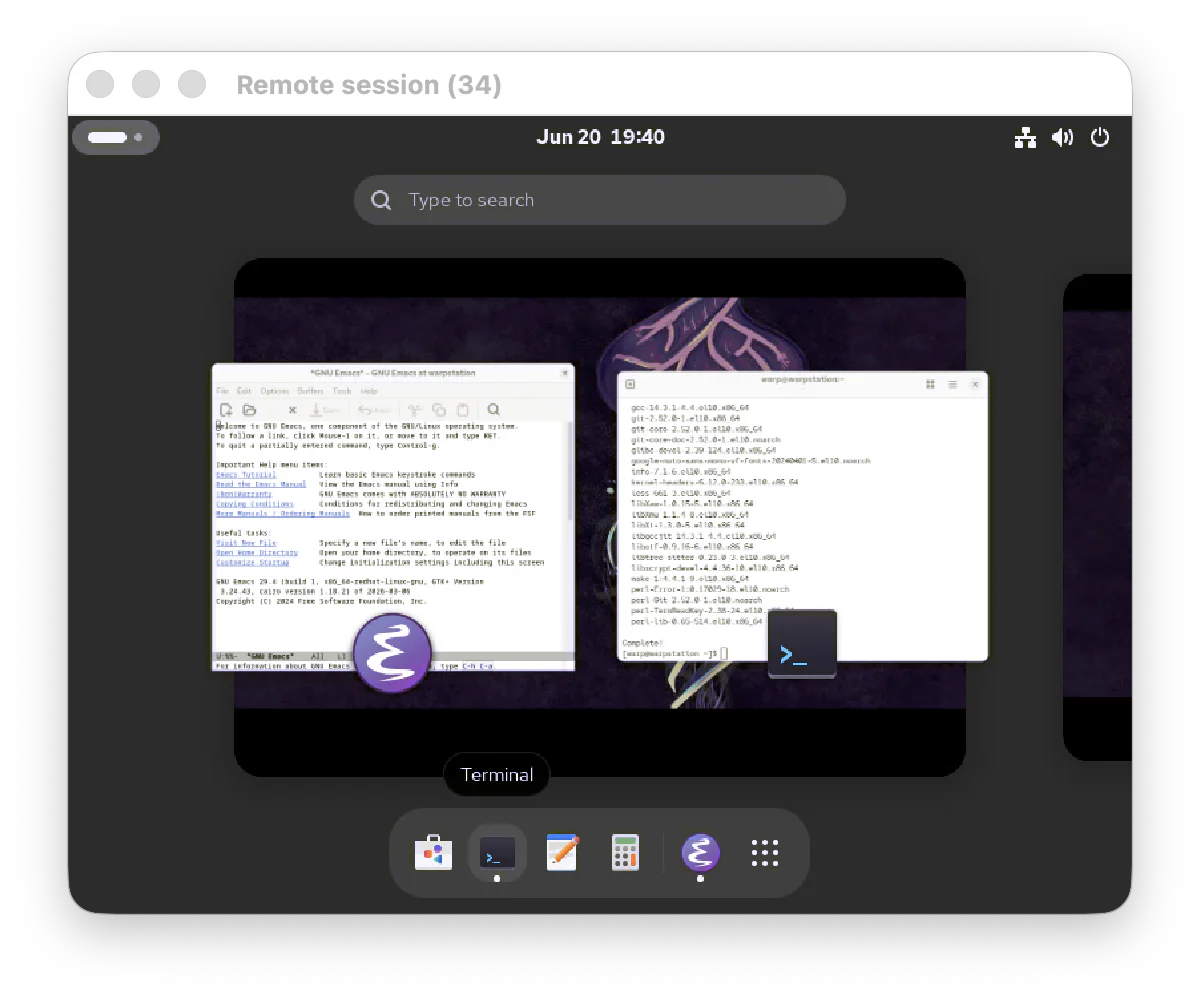
SSH is great for commands. It breaks down when your remote workflow needs a browser, IDE, visual debugger, GUI installer, notebook, or desktop app. WarpStations gives you a full graphical Linux workstation in the cloud, so your tools, previews, files, and compute stay in one place.
14 days. No card. Create an account, launch one hourly Basic or Balanced Linux desktop, and test it on a real project.

Basic trial option
2 vCPUs, 8 GB RAM
Balanced trial option
4 vCPUs, 16 GB RAM
Linux desktops
Ubuntu 24.04, Fedora 42, or CentOS Stream 10
Use your machine
Connect in a modern desktop browser on Windows, macOS, Linux, or ChromeOS
No surprise start
No payment method required for the 14-day trial
SSH leaves half the workflow on your laptop
Remote shells are perfect for commands, logs, and scripts. But the moment you need to open a browser, inspect a UI, run a desktop IDE, debug visually, or manage files, the work spills back onto your local machine.
WarpStations keeps the whole session remote
Run terminals, browsers, editors, debuggers, file managers, and desktop apps inside one hosted Linux environment. Your laptop becomes the screen, not the machine carrying every dependency.
Built for workflows SSH was never meant to handle
Run visual development work next to your cloud compute
Use a real Linux desktop when the job needs more than a prompt.

Test web apps where they run
Open browsers and app previews in the same environment as your build tools, services, and project files.

Use desktop IDEs and debuggers
Keep editors, terminals, visual debuggers, documentation, and file browsers open in one remote session.

Move heavy work off your laptop
Give Linux builds, experiments, and development tools hosted compute while your local machine stays responsive.

Isolate messy project setups
Install packages, test dependencies, and try project-specific tools without cluttering your personal computer.
Start quickly
From signup to desktop without a local rebuild
Create account
No card required to start.
Choose a trial plan
Pick Basic or Balanced.
Pick Linux
Ubuntu, Fedora, or CentOS Stream.
Open your desktop
Connect in your browser. No client installation required.
Open your desktop tools
Use browsers, terminals, editors, files, and GUI apps together.
Prove the desktop workflow before you pay
The trial is built for a practical test: create the account, launch a Basic or Balanced Linux desktop, connect from your computer, and try the browser, terminal, editor, files, and visual tools your SSH workflow leaves behind.
- Full graphical Linux desktop environment.
- Cloud-hosted compute accessed from your existing machine.
- No payment method required for the 14-day trial.
- Trial ends unless you choose to continue.
After the trial
Clear pricing when you keep going
Start free, then choose hourly, monthly, or annual pricing when you are ready to continue. Basic and Balanced include 90 GB SSD by default, with paid storage expansion available after trial.
Developer FAQ
Questions before you start
Do I need a payment method?
No. You can start the 14-day trial without a card.
What can I use during the trial?
One hourly Linux desktop on Basic or Balanced, with 90 GB SSD included by default and up to 100 GB total configurable during trial.
Which Linux desktops are available?
WarpStations runs Ubuntu 24.04, Fedora 42, and CentOS Stream 10.
How do I connect, and do I need to install anything?
Create an account, launch the desktop, and connect from a modern desktop browser on Windows, macOS, Linux, or ChromeOS. No connection client is required.
What happens after 14 days?
Add a payment method to keep using WarpStations. Without one, the trial ends and paid-only options remain locked.
Evaluating for a team?
Book a demo for guided setup, team rollouts, compliance review, enterprise needs, or procurement questions.
Try the Linux desktop your SSH workflow is missing
Create an account, start a 14-day trial with one hourly Linux desktop, and add a payment method only if you keep going.
No card required

© 2026 WarpStations. All Rights Reserved.